Localization
June 03, 2026
|
4 min read
June 2026 Product Release
This month’s new features include powerful new analytics, UX redesign, flexible file exports, and brand new connector to collaborate easily, complete jobs faster, and readily prove your program impact.

LILT Team

This month’s new features include powerful new analytics, UX redesign, flexible file exports, and brand new connector to collaborate easily, complete jobs faster, and readily prove your program impact.
Accelerate Reviews with the Redesigned Agentic QA Interface

Keep reviewers in flow, review jobs faster and more reliably with the redesigned agentic Quality Assurance (QA) interface. Quality flags from LILT’s AI QA agent now appear in-line in the editor and in the sidebar for both segment-level and full-document batch QA checks. No more bouncing out to a separate window. Improve accuracy by filtering errors based on category, severity, and type and flag irrelevant errors. Full-document QA results now load progressively, so you can accelerate reviews by starting the review cycle before the entire document finishes processing.
Usage Analytics to Demonstrate ROI
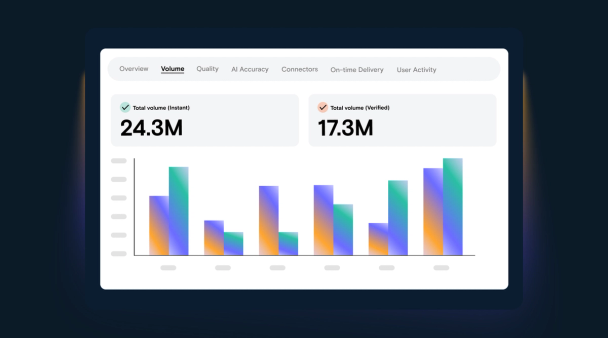
LILT platform usage analytics are now available for LILT customers on SaaS deployment! This new analytics view provides in-depth insights into word volumes, throughput statistics, and user activity throughout your organization. Provide visibility to leadership, highlight how your program is expanding market reach and accelerating time-to-market.
Granular Locale Level Quality Insights to Guide Workflow Optimization
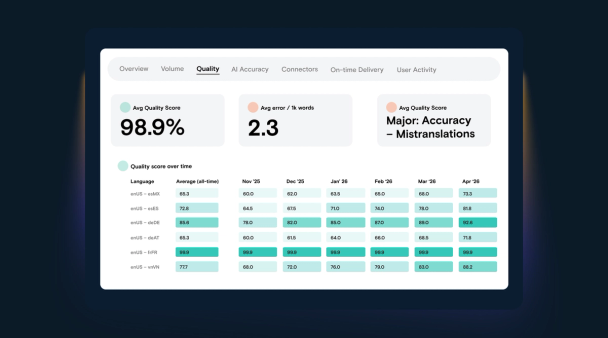
Quality scores can now be viewed by locale, not just at the overall language level, providing a clearer picture of how translation quality is performing across your markets. Get clear visibility into average scores and quality trends by language/locale pair over time. Accelerate projects by easily identifying where quality meets your bar and confidently route work to AI-only translation, reserving expert-verified workflows for where they are truly needed.
More Flexibility for PDF Translations: Now Export to DOCX
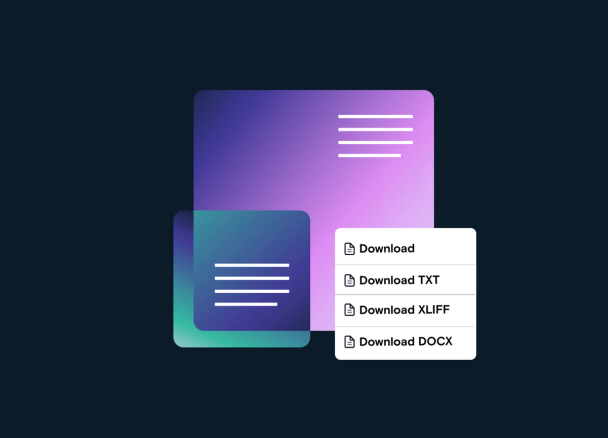
One output format rarely fits every downstream need. Sometimes you want a finished PDF, and sometimes you need an editable file you can adjust, restyle, or pass to another team. Translated PDFs can now be exported as DOCX, at the job, project, and document level, in AI-only and verified workflows, giving more control over the final deliverable. Use this output format to collaborate easily with editors and designers and enable a smoother path from translation to publication.
Automate Workflows with Powerful Adobe Connectors
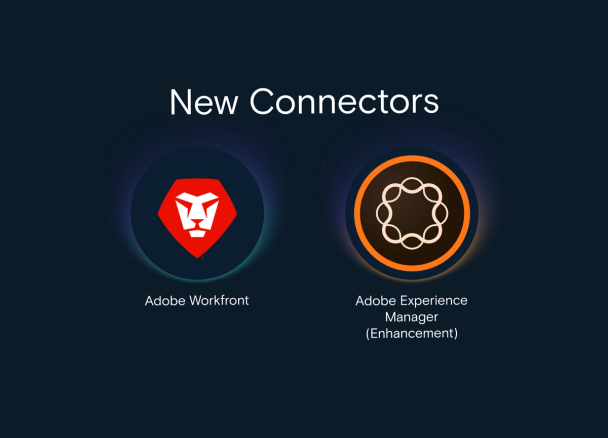
- [New] Adobe Workfront Connector: Eliminate the manual project monitoring loop with a seamless, two-way integration built for scale. Automatically spin up projects in LILT the moment a Workfront request is submitted and get real-time status updates in Workfront to keep projects on schedule.
- [Update] Adobe Experience Manager: The latest AEM Cloud Connector enhancements make translation jobs faster and more reliable. Eliminate project delays from job submission failures with a redesigned rules experience that validates source/target setup and restricts language options to only those configured for the domain. Preview the content destination before submitting, control how jobs move to translation, and keep projects on schedule.
Get Setup Instructions:
Share this post


Find some time with LILT
Enterprise-grade content seamlessly translated with AI to help your business scale globally.
Book a MeetingShare this post