Enterprise Translation
August 05, 2026
|
3 min read
August 2026 Product Release
LILT's August 2026 product release adds document asset translation to the AEM connector, locale-scoped QA agent rules, expert feedback that fine-tunes AI Review, one-click terminology metadata, per-team connector workflows, and a new MCP admin page for managing external AI assistant connections.

LILT Team
This month's release brings powerful connector and enhanced agent controls that automate and accelerate work, and greater visibility into MCP usage.
AEM Connector Enhancement: Now Translate Document Assets
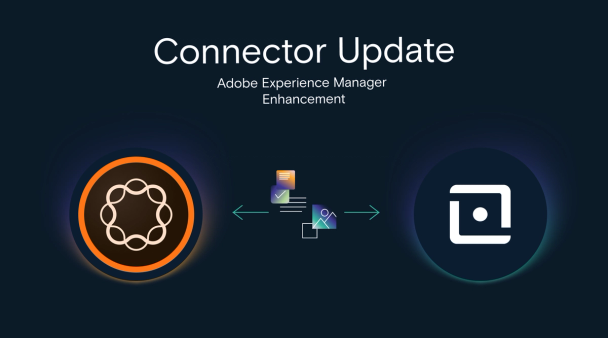
The AEM connector can now translate document assets stored in the Digital Asset Manager (DAM) including Word, Excel, PowerPoint, plain text, and HTML files. Accelerate projects without hassle by sending the original to LILT and get the translated file back into AEM using the same interface and workflow as your webpage submissions.
Ensure Precise Quality Control for Every Locale with the Enhanced QA Agent
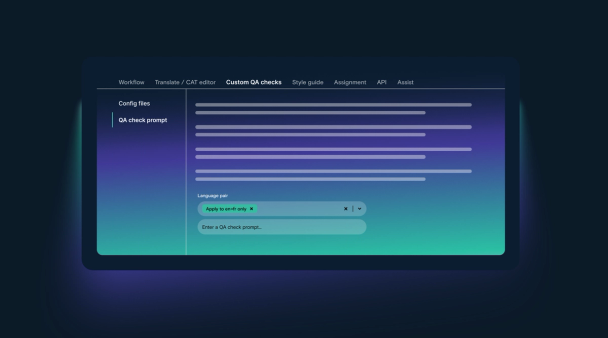
LILT's QA agent rules can now be customized and scoped to specific language pairs they were written for, giving precise control over how quality is enforced across each locale. So, a rule set for English to French and English to Italian applies to French and Italian projects only, leaving the German project in the same job untouched. The result: fewer false positives, more accurate QA output, and less review time.
Shape the AI Review Agent with Expert Judgement
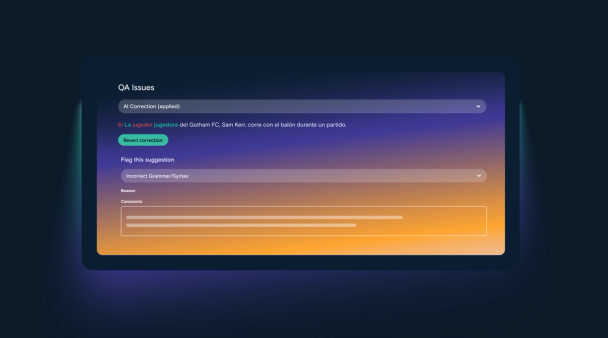
Your human experts and reviewers can now flag AI Review suggestions that miss the mark, sending feedback straight to LILT's research team. That expert judgement will fine-tune AI Review, so suggestions keep improving over time.
Get the Full Terminology Context Without the Hunt
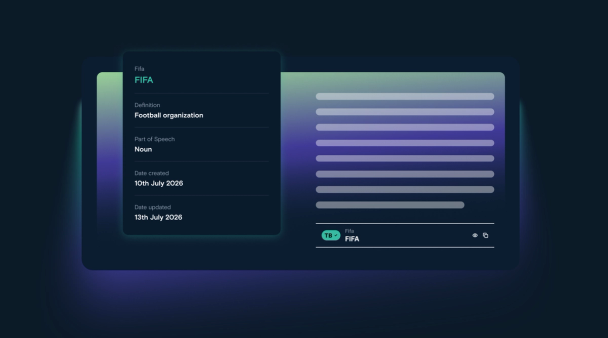
Eliminate the frictional process of finding the termbase with a newly designed UI that lets human experts and reviewers access the full terminology metadata — definitions, part of speech, usage examples — with a single click in the editor. Spend less time searching and make more consistent terminology decisions in the moment.
Match Connector Workflows to Each Team's Needs
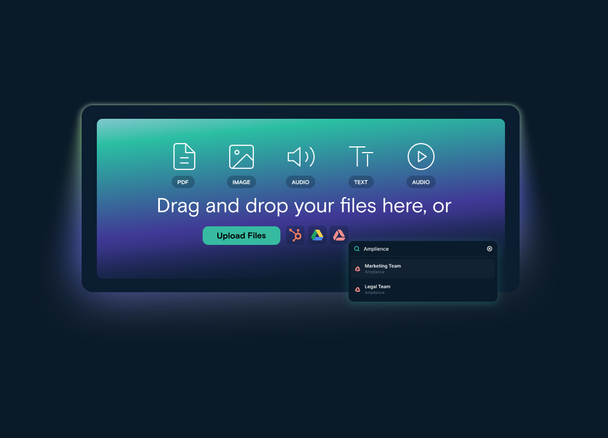
Get greater control over workflows powered by connectors available directly in the LILT platform. You can now choose any configuration you have set up for a connector and run the preferred settings that fits your content needs. No more single shared setup that forces every team to work the same way.
View and Control Every MCP Connection in One Place
Managing how your team connects LILT with external AI assistants just got easier. The new Model Context Protocol (MCP) Admin Page gives admins total visibility and control over LILT's MCP server with a centralized interface.
- Seamlessly enable or disable LILT's MCP server integration for your entire organization using a simple On/Off toggle.
- Get immediate visibility into which external AI tools (like Claude, ChatGPT, Gemini, and Copilot) are connected, along with their live status.
- Open any client to view specific connected users and easily revoke individual connections whenever necessary.
See LILT in action
Explore how LILT's connectors and AI agents automate your multilingual content.
Book a MeetingShare this post


Find some time with LILT
Enterprise-grade content seamlessly translated with AI to help your business scale globally.
Book a MeetingShare this post